
How to Text Yourself on Signal (and Why It's Brilliant)

Signal isn’t just for secure conversations with others—it’s also a surprisingly handy place to send messages to yourself. Here’s how to find and use your built-in Note to Self chat.
Finding Your Note to Self on Signal
Section titled “Finding Your Note to Self on Signal”Unlike some messaging apps where you need to search for your own number, Signal makes it easy:
- Open Signal and tap the compose button (pencil icon) to start a new message.
- At the very top of your contacts, you’ll see Note to Self—tap it. If you can’t find it, you might want to search for it (see the picture).
- That’s it! You now have a private chat that syncs across all your devices.
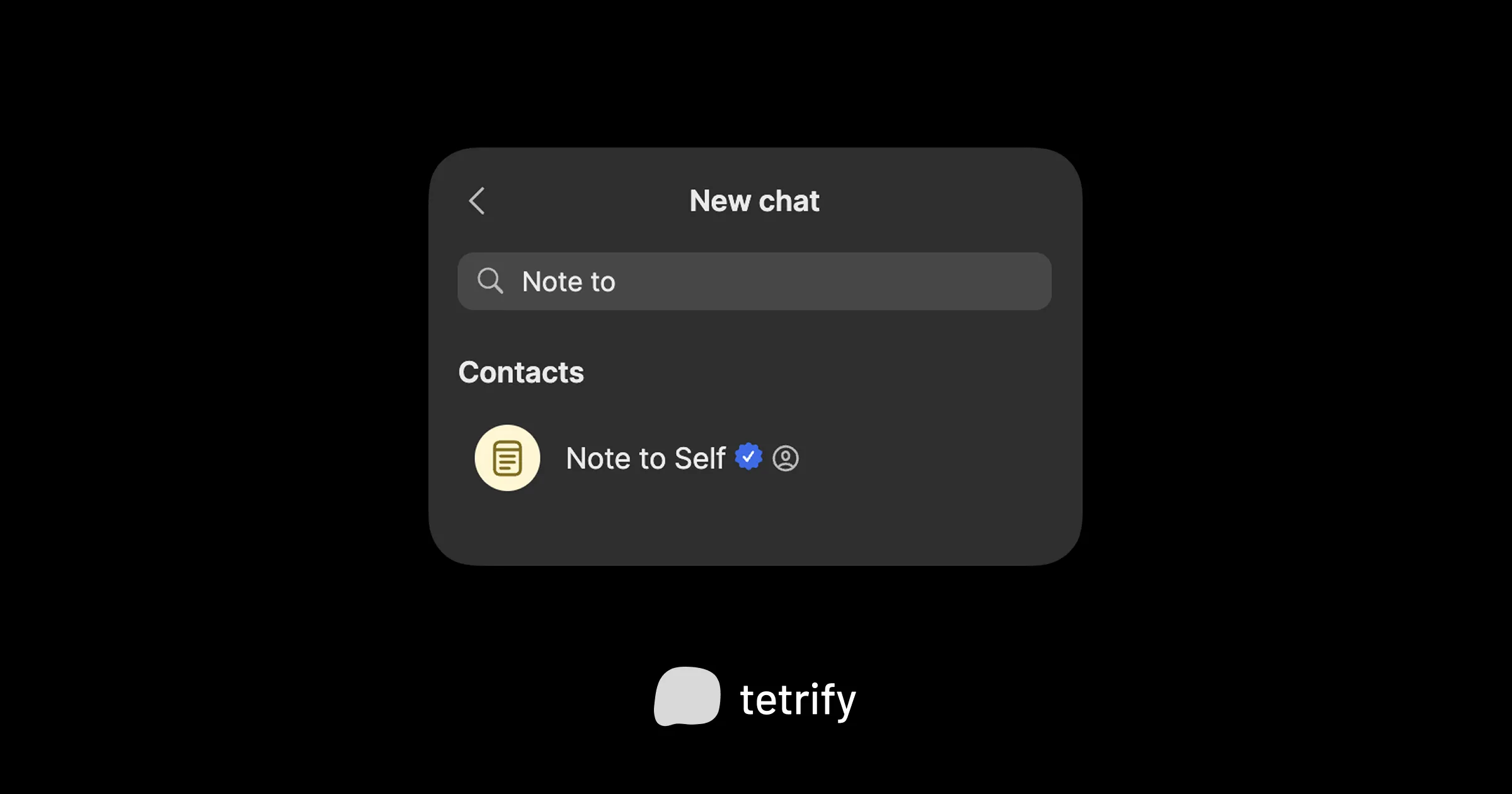
Signal even gives this chat a special icon so you can spot it quickly in your conversation list.
Why Signal Users Love This Feature
Section titled “Why Signal Users Love This Feature”Privacy-conscious folks already trust Signal for its end-to-end encryption. What’s nice is that same encryption applies to your Note to Self chat. Your random 2 AM thoughts, passwords you’re temporarily storing, or that embarrassing poem draft? All encrypted, just like your regular conversations.
Because Signal syncs across your phone, tablet, and desktop, anything you send to yourself shows up everywhere. Snap a photo on your phone, and it’s waiting on your laptop. It’s like a tiny, private cloud that doesn’t require signing up for anything new.
The Appeal of Messaging Yourself
Section titled “The Appeal of Messaging Yourself”There’s something low-pressure about sending yourself a message. It doesn’t feel like “taking notes” in the formal sense. You’re not opening a dedicated app, creating a new document, or deciding which folder something belongs in. You’re just… texting.
That casualness is the whole point. When you lower the barrier to capturing a thought, you actually capture more of them. Quick reminders, links to read later, voice memos while walking—all of it lands in one familiar place.
I do wish there was more…
Section titled “I do wish there was more…”Of course, a chat with yourself isn’t a full productivity system. Messages pile up, older notes get buried, and there’s no way to organize anything beyond scrolling. It works great for quick captures, but less so for anything you need to find again later.
If you’ve ever scrolled endlessly through your own messages thinking “I know I sent myself that link somewhere,” you’ve hit the limitation.
tetrify was heavily inspired by Signal’s commitment to privacy. It’s for this reason we are working on an end to end encrypted sync powered by the Matrix protocol. This will allow you to combine superuser personal productivity features that Signal wasn’t designed while still maintaining privacy and security of your data.

tetrify is the private chat app designed for notes
You can use multiple personal chats with checkboxes, categories, and automatic reminders. No account or internet needed.